
How to Declare Your Swimmer
Calendar Sign-up - Meet Declarations, RSVPs, and Jobs/Shifts
You will need to be logged in to your team website account in order to sign up ➞ Go to Account and Login for how to log in to the Stingray website account.
Other SwimTopia Tutorials can be found here: Swimtopia Tutorials for Parents
Meets & Events Calendar Overview
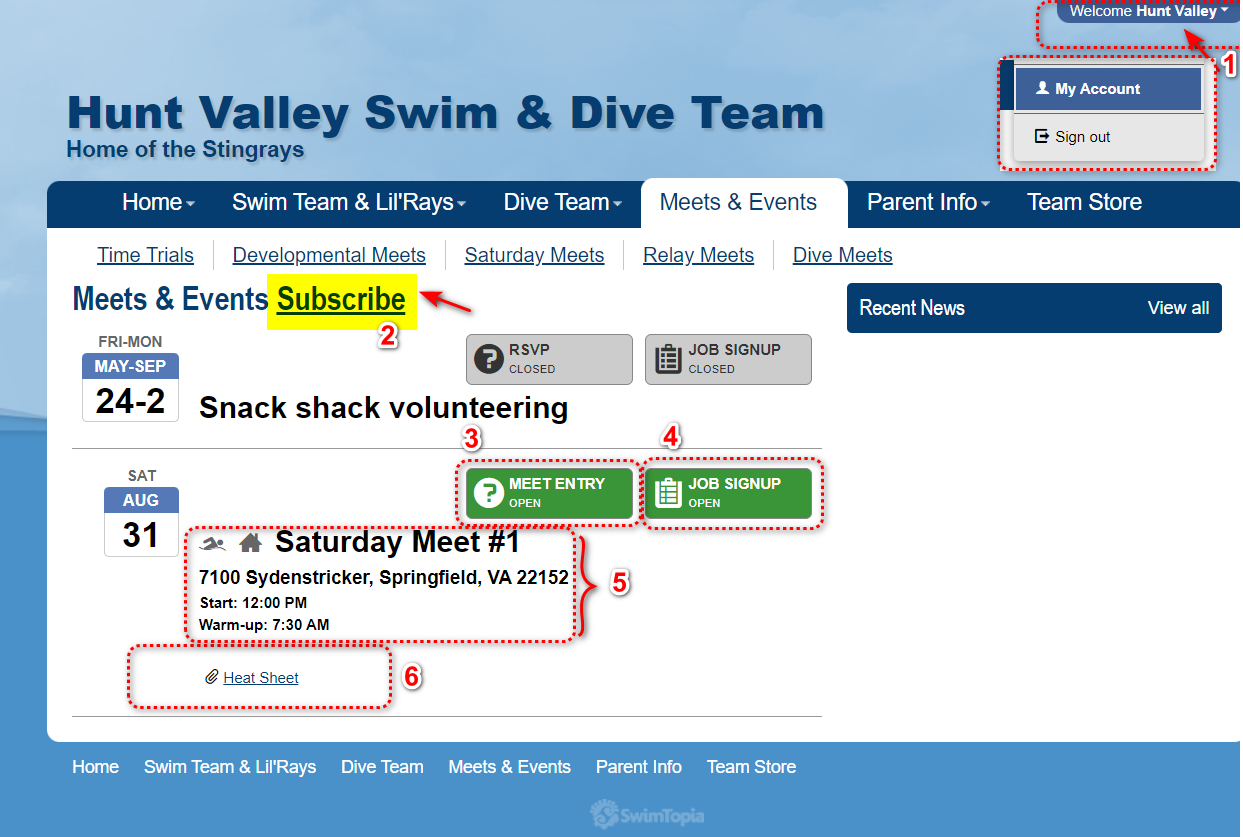
Once logged in, you can sign up for meet jobs and events through our team's meet and event calendar.
1.Welcome: Click the top navigation down arrow to view your account information.
2.Subscribe Button: You can also download the team schedule to your favorite calendar app, such as Google Calendar, Outlook or iCal.
3.Meet Entry Button: Use this button to declare your swimmer status.
4.Job Signup Button: Use this button to review the volunteer positions available. Please remember summer swim is only achievable through your volunteer time.
5.Meet Information: Start time, Warm-up times are found on the calendar
6. Files: Heat Sheet, Results, and Map files are available to download on this page and are updated on a rolling basis. Please check often.
Athlete Meet Declaration and Event Sign-up
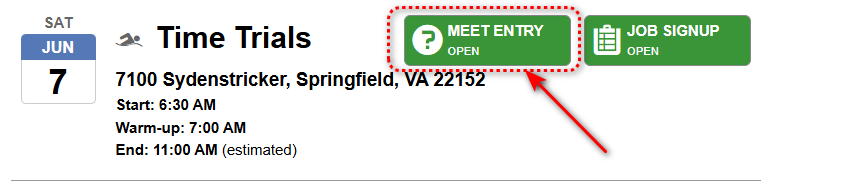
Click on the green Meet Entry button to sign your athletes up for meet events.
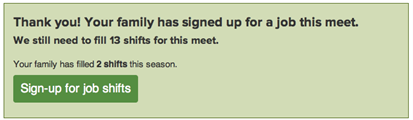
You may see a volunteer job confirmation window with a link to go back and sign up for job shifts.
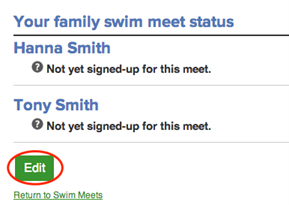
Underneath you will see a list of athletes associated with your account. Click Edit to add or change their attendance and relay declarations, or to add, change, or delete events for your athletes.
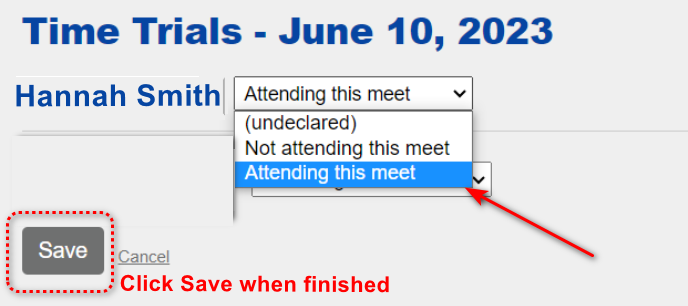
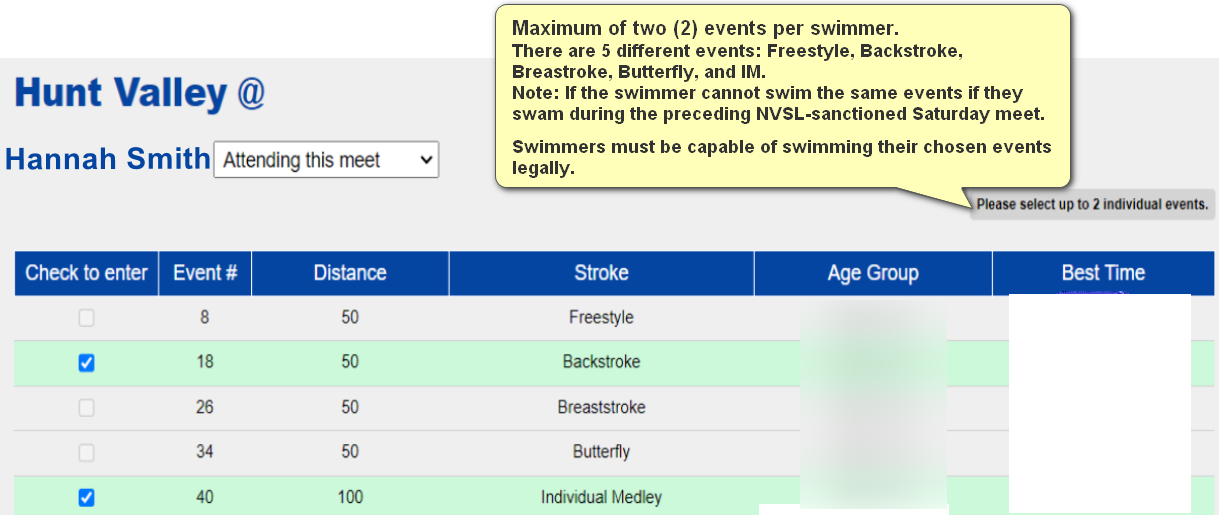
Select an attendance option from the drop-down menu next to each athlete's name. If your coach allows event selection, a list of events will appear if you select Attending. Check which events you would like to enter for each athlete, up to the limit indicated on the top right.
For Saturday meets, please select a relay availability option from the drop-down menu for each athlete, and then click the Save button to save your selections.
General Developmental Meet Rules
- Maximum of two (2) events per swimmer.
- There are 5 different events: Freestyle, Backstroke, Breastroke, Butterfly, and IM.
- Note: If the swimmer cannot swim the same events if they swam during the preceding NVSL-sanctioned Saturday meet.
- Scenario example: A swimmer swam Freestyle and Backstroke on Saturday June 3rd. The swimmer can the select from Breastroke, Butterfly or IM to swim the following Monday June 5th.
- Swimmers must be capable of swimming their chosen events legally.
- Swimmers compete in their age groups.
- 8&Unders, 9-10, 11-12 and 13&Over.

